Cyber tips, tools & one smart career path from your Cyber Bestie.
5 min read

Quick Reality Check
What happened: 16B passwords were leaked (the largest leak ever).
Why it matters: If you reuse passwords (which I would say about 99% of you do), hackers can break into your accounts using a tactic called "credential stuffing", trying your old password (and variations) across sites like banking, email, and social media.
What you can do to protect yourself:
- Turn on 2-factor authentication, even if hackers have your password, they can’t get in without a second code from your phone, email or app (see 60-second protection fix below to learn how to turn it on).
- Use unique passwords for every account (or at least key accounts).
- Check if your info was leaked at haveibeenpwned.com.
Here are a few articles that give you a bit more context:
- No, the 16 billion credentials leak is not a new data breach, Bleeping Computer. Read it here.
- 16 billion passwords exposed in record-breaking data breach: what does it mean for you?, Cybernews. Read it here.
60-Second Protection Fix
Set up 2-Factor Authentication (2FA) everywhere:
- Go to your account settings
- Pick 2FA
- Choose an authenticator app, text codes, or a physical key
- Set up Google Authenticator or Microsoft Authenticator.
Cyber Career Spotlight
Vulnerability Management (1 of 14 domains in Cybersecurity)
This team is responsible for finding and fixing security flaws in software or systems before hackers can exploit them.They’re the ones scanning for reused passwords, enforcing MFA and security updates, and closing the gaps before attackers exploit them. If you've ever thought, “How do we fix problems before they start?” this might be your path.
Explore Our Cyber Paths 101
Curious if Vulnerability Management is your vibe? Dive into our Cyber Paths 101, and if you’re ready to go deeper, join our Cyber Career Club to grow your skills, network, and confidence.
Click here to take the free Cybersecurity Intro course.
Must-Have Tool:
Incogni - Deletes your personal data off creepy people-search sites and data brokers, automatically. Then it keeps scanning for it and continues to send deletion requests on your behalf, updating you with progress reports every 2 months.
Check it out here and take your privacy back.
What you missed this week
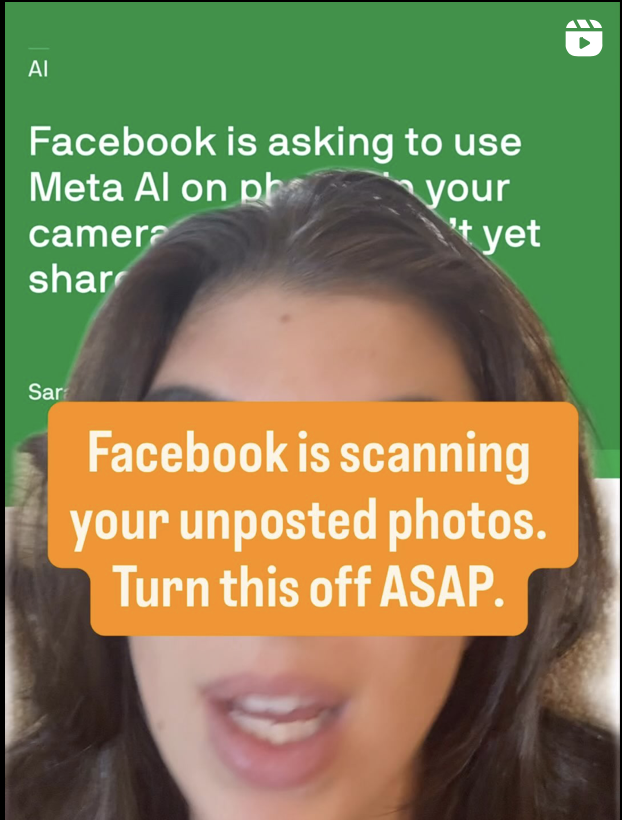
This was my most popular video this past week: Facebook is using your unposted photos, scanning them.
Click on this video to learn how to turn it off.
What We're Hearing From You!
“You’re doing a fantastic job informing us.” – @xenia
Thanks, Xenia, we’re lucky to have such an amazing community!
Let’s keep building together!
Stay protected,
Cybersecurity Girl
Know someone who’d enjoy this? Pass it along! And if you have thoughts or feedback, just hit reply, I’d love to hear from you.
Responses