Cyber news, tools & one smart career path.
5 min read

Quick Reality Check
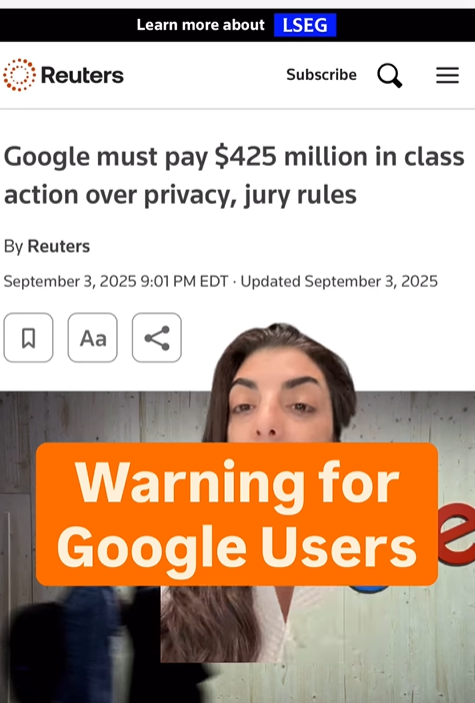
Google has been found liable for secretly tracking users, even after they turned tracking off.
What happened:
A U.S. jury ruled that Google misled users about what “Web & App Activity” really meant. Even when people turned it off, the company continued tracking activity across apps and websites, logging locations and habits to build profiles for its ads. About 98 million users are part of the class action. Google is appealing the verdict, so no payments have been made yet.
Why it matters:
Turning off tracking should mean stop tracking. This case shows how privacy settings can still let companies collect your data in the background. Your clicks, searches, and habits feed ad systems that shape what you see online and what your data is worth to them. The best fix is to stop assuming those toggles protect you and start assuming default settings let companies harvest your data.
Read more, here
60-Second Protection Fix
Here is what to do right now to protect yourself:
-
Turn off activity tracking: Go to myactivity.google.com → turn off Web and App Activity, Location History, and YouTube History.
-
On the same page, set Auto-delete to 3 months and delete past activity.
-
-
Turn off ad personalization: Open adssettings.google.com → turn off Ad personalisation.
-
In Chrome:
-
Settings → Privacy and security → Third-party cookies → Block third-party cookies.
-
Review account access: Settings → Privacy and security → Third-party cookies → See all site data and permissions → remove what you do not use.
-
-
Disable Chrome Sync:
-
Open Chrome → click your profile picture (top right) → Sync is on → Turn off
-
Go to Settings → You and Google → Sync and Google services → Turn off (then disable Sync everything if you only want some items off).
-
Must-Have Tool :
Everyday Tips to Keep You Safe Online
I put together a quick, practical guide to help you spot the small mistakes that put your digital life at risk and how to fix them fast. Inside, you’ll find simple, effective tips that actually make a difference, including what to do after a data breach and how to freeze your credit to protect yourself from identity theft. Download the guide here
What You Missed This Week
If you have a Google account you need to watch this. Click on the image or watch here
Check Out Incident Response (aka “The Cyber First Responders”)
When privacy or security failures happen, Incident Response teams are the first to investigate, contain the damage, and protect users from further harm. They analyze logs, coordinate with legal and security teams, and help restore trust. If you like solving digital crises in real time and helping organizations rebuild after breaches, this could be your path.
Learn more about Incident Response in my Free Intro Course: Cyber Paths 101
What We're Hearing From You!
"What multi factor app top 3 list do you recommend?"- @samsta50
That’s a great question. And I’m glad you are using authenticator apps over calls or emails. They’re more secure since texts can be hijacked through SIM swaps and emails can be compromised if you reuse your passwords. My go-to Authenticator apps are Google and Microsoft.
Let’s keep building together!
Stay protected,
Cybersecurity Girl
Know someone who’d enjoy this? Pass it along and have them sign-up here! And if you have thoughts or feedback, just hit reply, I’d love to hear from you.


Responses