Cyber news, tools & one smart career path.
5 min read

Quick Reality Check
Many Instagram users received password reset emails they did not request, causing confusion and concerns about a possible breach.
What happened:
Late last week, a wave of unsolicited Instagram password reset emails showed up in people’s inboxes, claiming a password change had been requested when the user did not initiate one. That triggered fears that Instagram had been hacked and that accounts were compromised.
Instagram responded publicly, saying the reset emails were caused by a technical issue that allowed an external party to trigger password reset notifications. The company clarified that there was no data breach of its systems and that accounts remain secure. Instagram said the issue has been fixed and that users can safely ignore those emails.
Cybersecurity firms noted that this situation creates an ideal environment for phishing, because people may be on high alert and more likely to click links in messages that look official
Why it matters:
Even when a platform says there was no breach, unexpected security emails are serious because they are a common phishing tactic. Attackers often send fake password reset messages with links to pages that steal your login credentials.
When a real company sends unexpected emails, it lowers our guard and makes phishing attempts more convincing. If your email address or phone number has appeared in larger breaches in the past, attackers already know it and may target you more aggressively with scam attempts. Always verify directly through the official app or website before you click any links.
Read more here
60-Second Protection Fix
Here is what you can do if you get a suspicious password reset email from Instagram:
-
Do not click any links inside the emails from Instagram. Instead:
-
Go to your Instagram app: Settings → Account Center → Passwords & Security→ Emails from Instagram
-
See where and which devices you are connected to, go to Settings→ Account→ Center Passwords & Security→ Where you’ve logged in, and if any of those are not you, kick that person out, change your password immediately, and enable 2-factor authentication (2FA) on your Instagram account
-
Check if your email or phone number was in a breach. Use haveibeenpwned.com to see which companies leaked your data.
-
Hire a trusted data deletion service like Incogni to remove your phone number and personal information from data broker sites.
Must-Have Tool:
Your Instagram may not be hacked, but your email could be sitting in dozens of old breaches without you knowing it. Have I Been Pwned lets you check whether your email or phone number has appeared in a known breach and which companies leaked it.
If you show up in results, change your password instantly, avoid reusing passwords anywhere else, and turn on two-factor authentication wherever you can to shut down most account takeover attempts.
What You Missed This Week
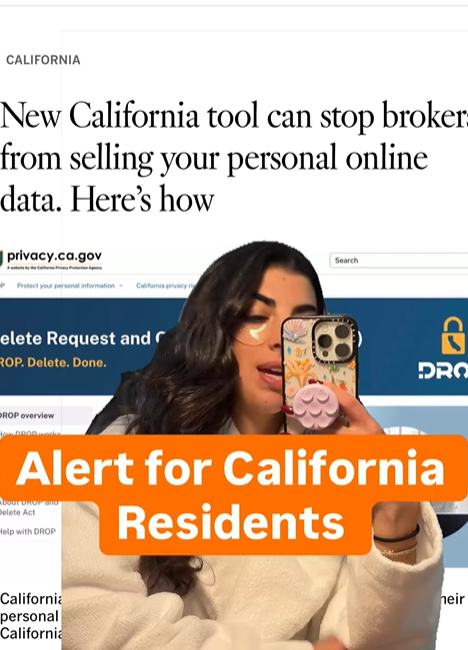
Alert for California residents. You now have the ability to tell your data online for free. Click on the image or watch here
Check Out Security Operations Center (SOC) (aka “The Guardians of the Network”)
SOC analysts monitor for suspicious activity, investigate alerts in real-time, and help prevent attacks before they spread. In incidents like mass reset emails or suspected phishing campaigns, SOC teams help interpret signals and guide response.
If you enjoy fast-paced investigation and protecting people from threats as they unfold, this could be your path.
Learn more about SOC in my Free Intro Course: Cyber Paths 101
Let’s keep building together!
Stay protected,
Cybersecurity Girl
Know someone who’d enjoy this? Pass it along and have them sign-up here! And if you have thoughts or feedback, just hit reply, I’d love to hear from you.
Responses